Last Updated: February 2026

Cartoon Styles for AI Prompts (Copy Paste Guide)

If you are searching for cartoon styles for AI prompts, you likely want ready-to-use formats that generate clean, stylized, animated visuals using AI image tools.

Cartoon prompts are popular because they:

  • Create profile pictures
  • Generate social media avatars
  • Design YouTube thumbnails
  • Produce NFT-style illustrations
  • Convert real photos into stylized art

This guide covers the most effective cartoon styles, how to structure them, and copy-paste prompt examples. For more AI image ideas, see our boys prompt guide and Gemini prompt collections.

What Are Cartoon Styles for AI Prompts?

Cartoon styles for AI prompts are structured text instructions that guide image generation models (such as Gemini or Midjourney) to produce stylized animated visuals instead of realistic photos.

Instead of: realistic portrait of a boy

You use: 2D cartoon illustration, bold outlines, flat shading, expressive eyes, animated style

The style keywords determine the final aesthetic.

How to Structure Cartoon AI Prompts

Use this formula:

Subject + Cartoon Style + Line Quality + Color Style + Lighting + Resolution

Example:

young boy, Pixar-inspired 3D cartoon style, smooth skin texture, soft cinematic lighting, vibrant colors, high detail, 4K resolution

Structured prompts improve visual accuracy and consistency.

Best Cartoon Styles for AI Prompts (Copy Paste Ready)

Below are high-performing cartoon styles you can directly test.
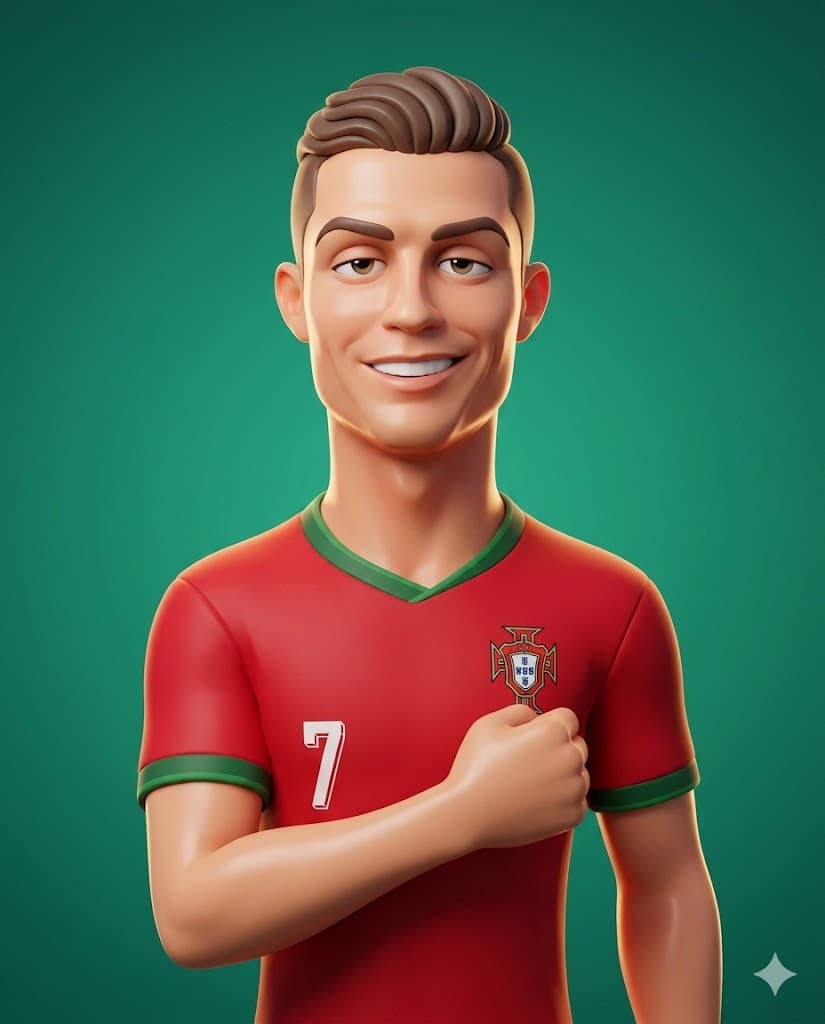
Pixar-inspired 3D cartoon style AI prompt example

Pixar-Inspired 3D Cartoon Style

Popular for profile pictures and character avatars.

Prompt (copy-paste):

Transform the person from the attached photo into a smooth stylized 3D cartoon character in the same style as the reference. Keep all real facial features fully recognizable but translated into exaggerated proportions (elongated head, big eyelids, soft rounded shapes). Skin should look glossy and plastic-like with clean gradients and subtle highlights. Use soft studio lighting, a solid color background, and high-end Pixar-inspired rendering. Simplify details, add gentle rim light, and preserve the person's hairstyle and accessories in stylized form. The final look must match the clean polished 3D aesthetic of the reference, aspect ratio (4:5), finished output.

Why it works: Pixar-style prompts generate polished 3D animated aesthetics with emotional facial expressions.
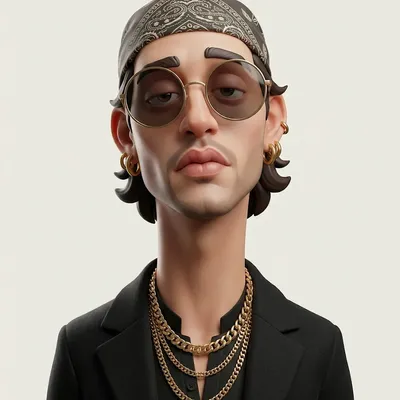
Minimal flat cartoon style AI prompt example

Minimal Flat Cartoon Style

Exaggerated stylized 3D caricature with bold accessories and street-luxury aesthetic.

Prompt (copy-paste):
Create an exaggerated stylized 3D caricature character portrait with strong intentional deformation and a clean, controlled surface finish. Use the person from the ATTACHED REFERENCE PHOTO. Preserve the subject's identity, facial likeness, skin tone, and defining features, but reinterpret them into a bold caricatured 3D form with an elongated neck, oversized head-to-neck ratio, droopy eyelids, heavy lips, and slightly asymmetrical facial structure. Render as a human-like 3D character with smooth, studio-clean skin and intentionally designed detail, avoiding random texture or noise. Style with bold accessories such as round or oval glasses, hoop earrings, gold chains, headscarves or bandanas, and street-luxury clothing. Use neutral studio lighting with soft shadows and even illumination, no dramatic contrast, against a plain neutral grey or off-white background. The overall aesthetic should feel weird, fashion-forward, collectible, and character-driven rather than cute or realistic. Ultra high definition, premium cinematic 3D render quality, hyper realistic hyper realism, clean materials, no freckles, no dirt, no grain, no noise, no speckling, no text, no logos, no watermarks. Aspect ratio 4:5.
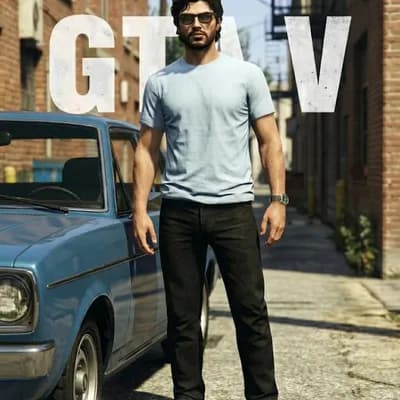
GTA-V style cartoon AI prompt example

Classic GTA-V Style

Full-body 3D character in Grand Theft Auto V in-game aesthetic.

Prompt (copy-paste):
Transform the subject(s) from the uploaded image(s) into a full-body realistic 3D character model suitable for the Grand Theft Auto V gameplay environment. MUST include legs and feet, even if not present in reference. Match the in-game graphics aesthetic of Grand Theft Auto V (RAGE engine). Focus on realistic, slightly gritty textures for skin, cloth, denim, and leather. The rendering should look like a high-quality character snapshot taken directly from the game engine, not a pre-rendered cinematic or 2D illustration. Realistic outdoor game lighting with strong, natural highlights and defined shadows that give depth to clothing folds and facial features. Avoid LEGO or plastic toy aesthetics, 2D loading screen illustration style cel-shading, cartoon or exaggerated proportions, hyper-realistic photography (must still feel like a game), smooth textureless surfaces, cropped images (no half-body renders). Translate the subject's upper clothing, hair style, and accessories realistically. Hair should have strands and texture. Recreate the facial expression and features realistically based on the reference. Use realistic adult human proportions typical of GTA V protagonists.
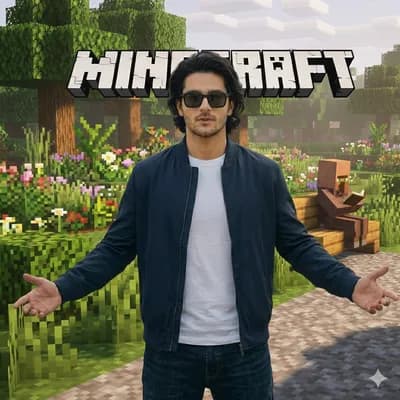
Minecraft style cartoon AI prompt example

Minecraft Style

Photorealistic subject in a voxel-based Minecraft environment.

Prompt (copy-paste):
Task: image_transformation. Style: overall_aesthetic "High-quality cinematic Minecraft screenshot." Rendering_technique "Mixed-media: Photorealistic subject embedded in a voxel-based environment." Subject rules: The human person from the reference image must remain completely photorealistic and unchanged. No pixelation or block filters on their body, clothing, or face. Any non-human object in direct physical contact with the subject (e.g. pets, dogs) MUST be converted into Minecraft block models or mobs. A real dog becomes a Minecraft wolf. Environment_rules: Analyze the reference image background structure and recreate it entirely out of Minecraft voxel blocks. Trees, terrain, paths, and foliage must be cubic blocks with pixel art textures. Replicate the foggy forest atmosphere using blocky volumetric fog layers appropriate for Minecraft. Composition_and_lighting: Maintain the exact camera angle and framing from the reference photo. Lighting: Minecraft daylight with gentle haze and consistent block-based shadows. Enhance.
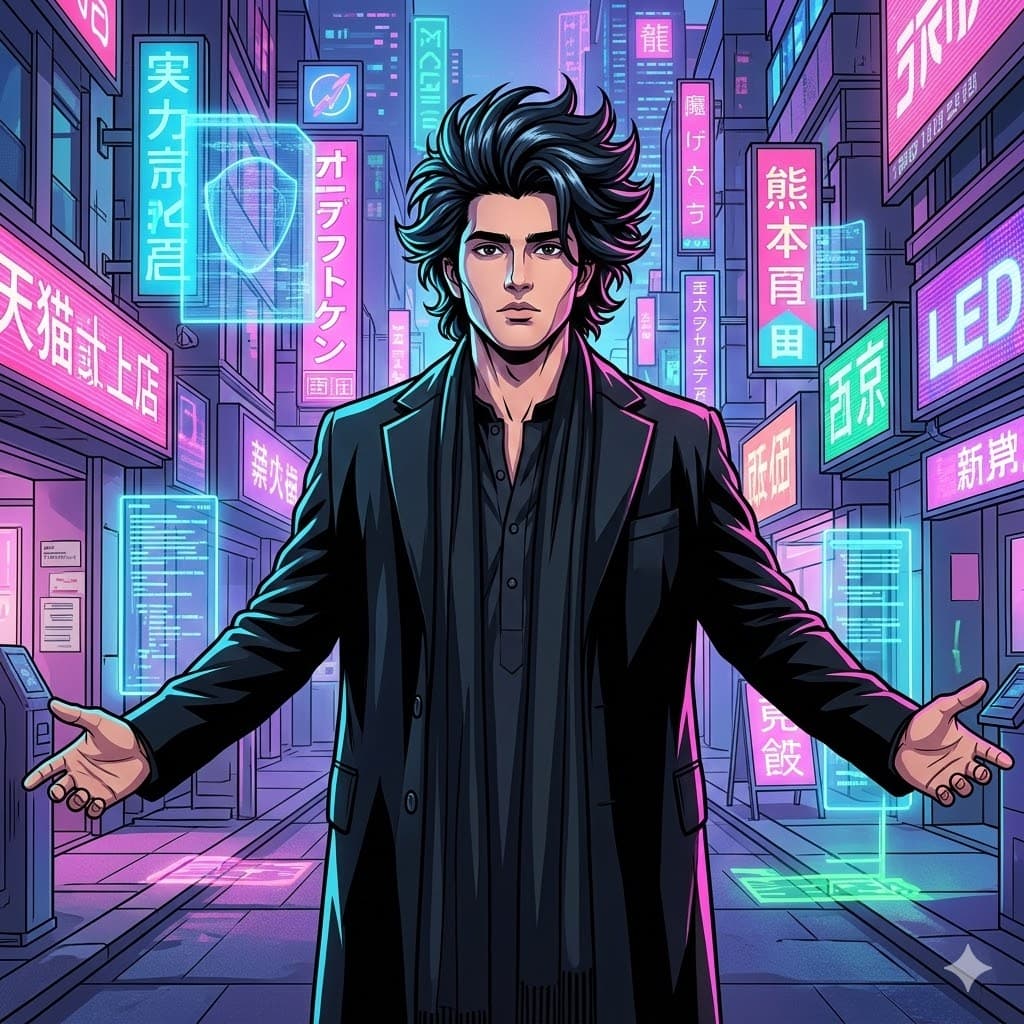
Anime cartoon style AI prompt example

Anime Cartoon Style

Confident character with bold outlines and vibrant neon background.

Prompt (copy-paste):

Anime-style cartoon illustration of a confident teenage boy, sharp jawline, detailed spiky hair, dramatic shading, cel-shaded lighting, vibrant neon background, bold outlines, ultra detailed, 4K quality

Advanced Cartoon Prompt Enhancers

To improve results, add:

  • Bold outlines
  • Cel shading
  • Soft rim lighting
  • Stylized proportions
  • Vibrant color palette
  • Clean vector texture

Avoid mixing too many styles in one prompt. Keep it consistent.

Common Mistakes in Cartoon AI Prompts

  • Mixing realistic and cartoon terms
  • Adding excessive camera lens details
  • Overloading with HDR and realism tags
  • Using vague style descriptions

Cartoon prompts require stylization clarity, not photography jargon.

How to Make Cartoon Styles Go Viral

If your goal is engagement:

  • Use expressive facial features
  • Add exaggerated emotion
  • Keep colors vibrant
  • Use trending themes (streetwear, gaming, fitness)
  • Optimize 4:5 or 1:1 aspect ratios for social media

Cartoon avatars perform strongly on Instagram and YouTube thumbnails.

FAQs (Optimized for Featured Snippets)

What are cartoon styles for AI prompts?

Cartoon styles for AI prompts are structured text instructions that guide image generators to create animated, stylized visuals instead of realistic photos. They include style tags like anime, Pixar-inspired, comic book, or flat vector.

Which cartoon style works best for AI avatars?

Pixar-inspired 3D and anime styles are currently the most popular for AI avatars because they create expressive faces, clean detail, and vibrant colors suitable for profile pictures.

How do I write a cartoon AI prompt?

Start with the subject, define the cartoon style, add line quality, color type, and resolution tags. Keep the style consistent and avoid mixing realism with animation terminology.

Are cartoon AI prompts better than realistic prompts?

It depends on the goal. Cartoon prompts are better for branding, gaming profiles, and creative visuals, while realistic prompts are better for professional portraits.

Copy a Cartoon Prompt and Test It

Pick one prompt above, copy it, and paste it into Gemini, Midjourney, or your preferred AI image tool. Then try another style to compare.

Loading...