Collection / YouTube Thumbnails

AI YouTube Thumbnails With Ready-to-Use Prompts

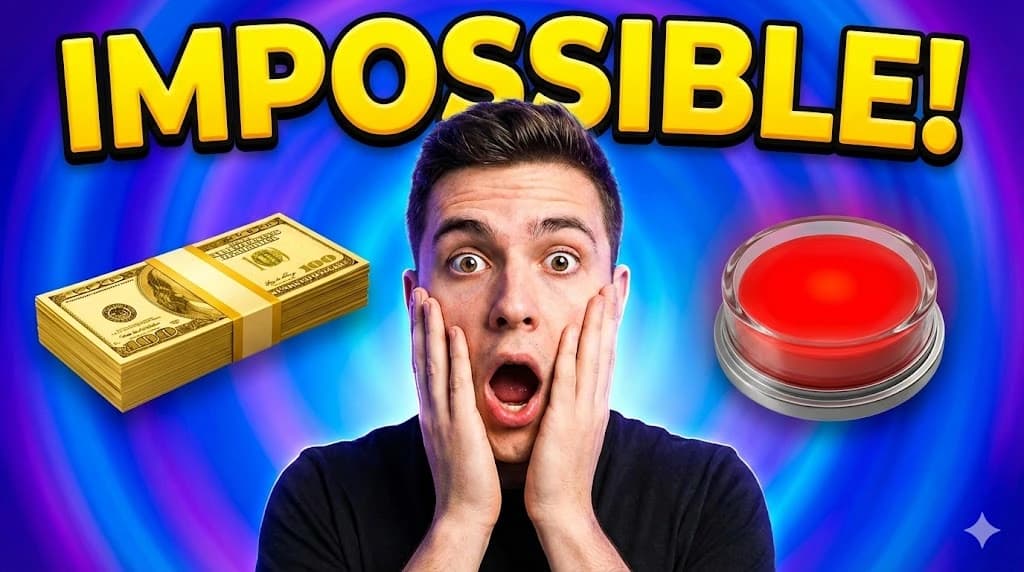
Looking for eye-catching YouTube thumbnails you can recreate instantly? This page features AI-generated thumbnails created with an AI design tool, each with its exact prompt. Copy the prompt, paste it into your generator, and create a custom thumbnail in seconds. Perfect for gaming, tech, vlogs, tutorials, and more — no design skills needed.

Table of Contents

What You’ll Get

  • 12+ AI-generated thumbnails with real prompts
  • Recommended YouTube size: 1280×720 px (16:9)
  • Styles: bold, neon, minimal, cinematic, gaming, tech, vlog
  • Editable JPG/PNG files
  • Free to copy and use
  • Optional: customize further with the AI generator

Want More Thumbnail Styles?

You’ve seen these AI-generated thumbnails — but why stop here? With the AI thumbnail maker, you can explore a variety of different templates and styles to create thumbnails that truly stand out. Experiment with colors, fonts, layouts, and effects to design unique YouTube thumbnails in seconds. Whether you want bold gaming designs, minimal tech styles, or cinematic vlogs, the tool gives you the flexibility to try them all.

Browse the gallery prompts above or craft new variations directly in your AI thumbnail maker.

How to Use These AI Thumbnail Prompts

  1. Browse the gallery below
  2. Click Copy Prompt
  3. Paste it into your AI image generator
  4. Generate your own thumbnail
  5. Optional: Edit further in the AI tool
  6. Upload to YouTube

Tips for Clickable Thumbnails

  • Bold, short text (3–5 words)
  • High contrast colors
  • Avoid clutter
  • Focus on one main subject
  • Match thumbnail style with your video
  • Test color and composition for higher CTR

Pro Tip: Edit your thumbnails in your AI design tool for professional results and instant customization.

Who This Collection Helps

  • YouTubers & creators
  • Gamers & vloggers
  • Students & educators
  • Social media marketers

Articles & Resources

FAQ

Can I use these thumbnails for free?

Yes. All listed images and prompts can be freely used and recreated.

Do I need design skills?

No. Copy the prompt, paste it into your AI generator, and you’re done.

What is the best tool to generate thumbnails?

ImagineArt is a fast AI thumbnail generator with presets and templates for YouTube.

What size should a YouTube thumbnail be?

Use 1280×720 px (16:9) and keep the file under 2MB.

Can I edit the thumbnails?

Yes. Customize colors, text, and layout with your AI design tool or editor.

Start creating stunning YouTube thumbnails today!

Copy the prompts above to generate your thumbnails with the AI thumbnail maker, and customize further to make them truly pop.

Create Your Thumbnail Now

Affiliate Disclosure

This page contains affiliate links. We may earn a small commission at no extra cost to you.

Loading...